
Kibitz
An AI coding agent monitor summarizes Claude Code and Codex sessions and dispatches prompts from a local VS Code panel or terminal on macOS and Windows.
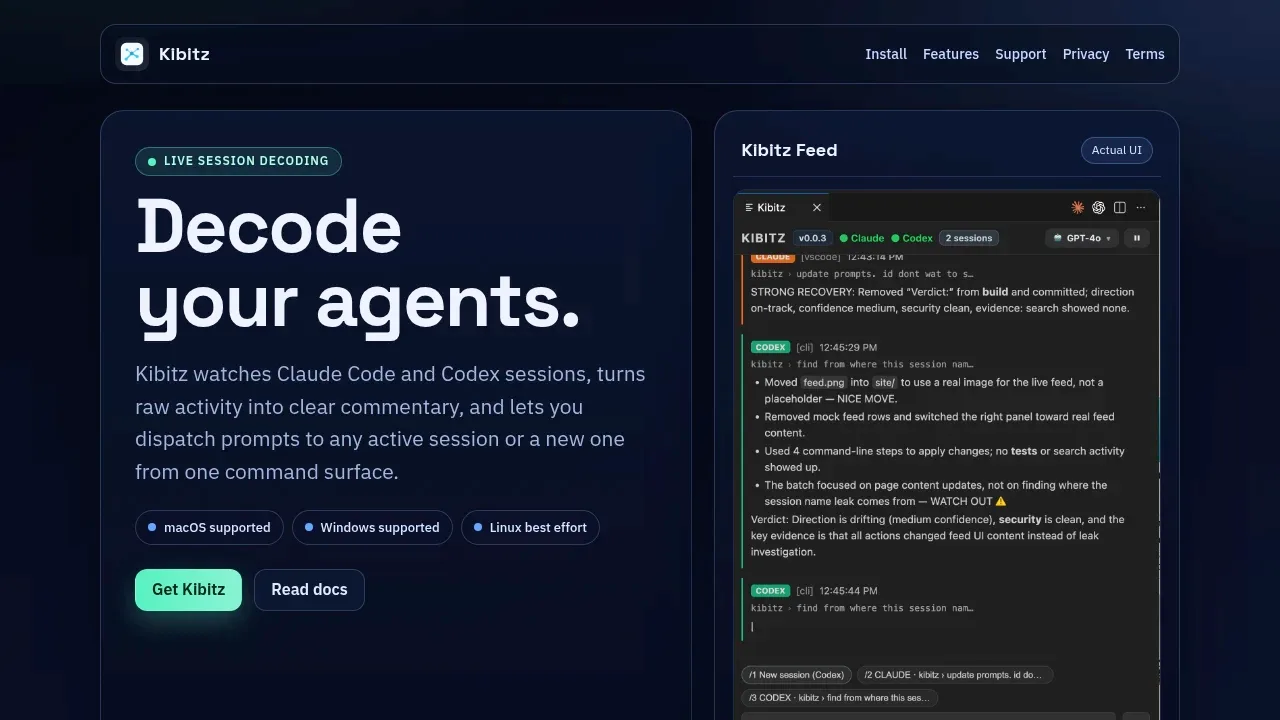
Kibitz helps developers follow several Claude Code or Codex sessions and direct work from one place. It turns agent activity into readable commentary, reducing the need to switch between terminal tabs to see what each session is doing.
- Live session summaries. Follow a commentary feed across watched sessions rather than interpreting each agent's raw terminal output.
- Prompt dispatch. Send work to a specific active Claude Code or Codex session, or start a new session with the current provider.
- Dispatch status. See whether a prompt is queued, started, sent or failed, with explicit session targets to show where you're sending it.
- Feed controls. Pause and resume commentary, focus on a session and adjust how often summaries appear.
Kibitz runs locally as a VS Code extension or terminal CLI. Both interfaces support monitoring and prompt dispatch on macOS and Windows; Linux support is best effort. The terminal interface supports keyboard-based control, while the VS Code panel keeps session activity beside your code.
It's open source under the MIT license and requires an installed, authenticated Claude Code or Codex CLI. It works alongside those assistants, so their provider requirements still apply. Dispatch can target only watched sessions with recent activity, and each send goes to one session; broadcasting a prompt to several sessions isn't supported.
 Logotyper


