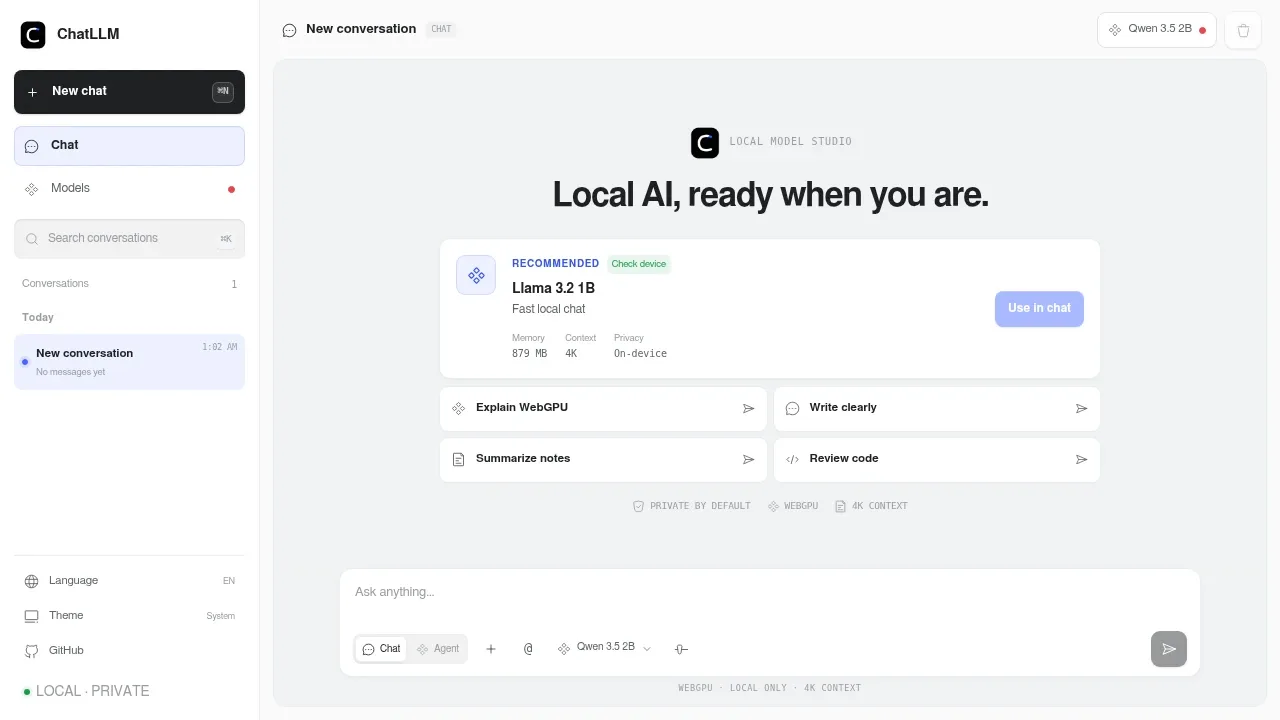
ChatLLM Web runs AI chat and a local agent workspace entirely in a WebGPU-capable browser. It's for people who want to work with their own text and code while keeping conversations, selected files, and generated artifacts on their device. The project is open source under the MIT license.
The hosted website serves the application through Cloudflare Pages, while your device handles model inference. Model downloads come from Hugging Face and WebLLM library URLs. There's no application backend, account, API key, analytics, or telemetry. Its installable PWA caches the app and can reuse models after their first successful load.
The model studio checks browser capabilities and memory to recommend a compatible model. Choices include Qwen 3.5 2B, Llama 3.2 1B, Gemma 3 1B, and Qwen 2.5 Coder. You can compare compatibility and cache status, manage downloads, or import custom MLC models from approved sources. WebLLM runs generation through WebGPU, so model suitability depends on the device's GPU capabilities and available memory.
Agent mode uses Hermes models for function calling. Its sandboxed tools can read and search files you've selected, calculate, and create or edit saved artifacts. You review artifact changes as a line diff before saving them. The agent has no arbitrary disk access, shell execution, or network search.
For chat, you can attach text, Markdown, JSON, and common code files as direct context. Conversations and approved artifacts stay in browser storage; artifacts can be copied or downloaded.
Claim this page and we'll verify you by hand. ChatLLM Web gets the verified badge, and you can upgrade the listing to be featured on localhosted. Proud to be listed? Put our badge on your site.
Want more people to find ChatLLM Web?Promote it
Something wrong or outdated on this page?
556Updated 16 hours agoMIT
macOS · iOS · Web#Code execution#Distributed execution#Hugging Face integration
Pooled runs a single open model across browser tabs on laptops, desktops and phones, combining their memory when the model won't fit on one device. It's for people who want local AI chat or a coding assistant using hardware they already have. It's open source under the MIT license and requires no account or per-device installation.
836Updated 1 year agoMIT
Docker · Web#RAG#Semantic search#Works offline
15.3KUpdated 2 weeks agoGPL-3.0
macOS · Windows · Linux · iOS · Android · Web#llama.cpp backend#LoRA#Multi-user access
12KUpdated 12 months agoApache-2.0
macOS · Windows · Linux · Docker · Web#Code execution#llama.cpp backend#Multi-user access
11.9KUpdated 5 days agoAGPL-3.0
macOS · Windows · Linux · Android · Docker · Web#GGUF#Hugging Face integration#llama.cpp backend
130KUpdated 24 hours agoMIT
Web#Code execution#GGUF#Hugging Face integration
Chatty runs AI models directly in your browser using WebGPU. It's an open-source ChatGPT alternative for people who want familiar chat features while keeping conversations and document processing on their own hardware. Once a model has downloaded, you can chat offline.
ChuanhuChatGPT is a self-hosted web chat interface for people who want local models and cloud AI services in the same application. It runs on your computer or server and opens in a browser, with support for Windows, macOS and Linux. The Python application is open source under GPL-3.0.
h2oGPT is a self-hosted ChatGPT alternative for people who want to chat with local models and ask questions about their own documents. The project is archived and no longer maintained. It's open source under Apache 2.0, with support for Linux, macOS, Windows and Docker.
KoboldCpp pairs local model inference with a browser interface built for chat, creative writing and roleplay. A fork of llama.cpp, it bundles KoboldAI Lite with tools for keeping character details and story context alongside your conversations. It's open source under AGPL-3.0.
llama.cpp runs language models on your own hardware and can serve them from a machine you control. It’s an MIT-licensed, open source inference engine for people building local AI apps, running a private model server, or using a model directly from the command line. It supports vision-language models too.