
Dayflow
An automatic time tracker for Mac builds a work journal from screen activity, with offline AI through Ollama or LM Studio and optional cloud analysis.
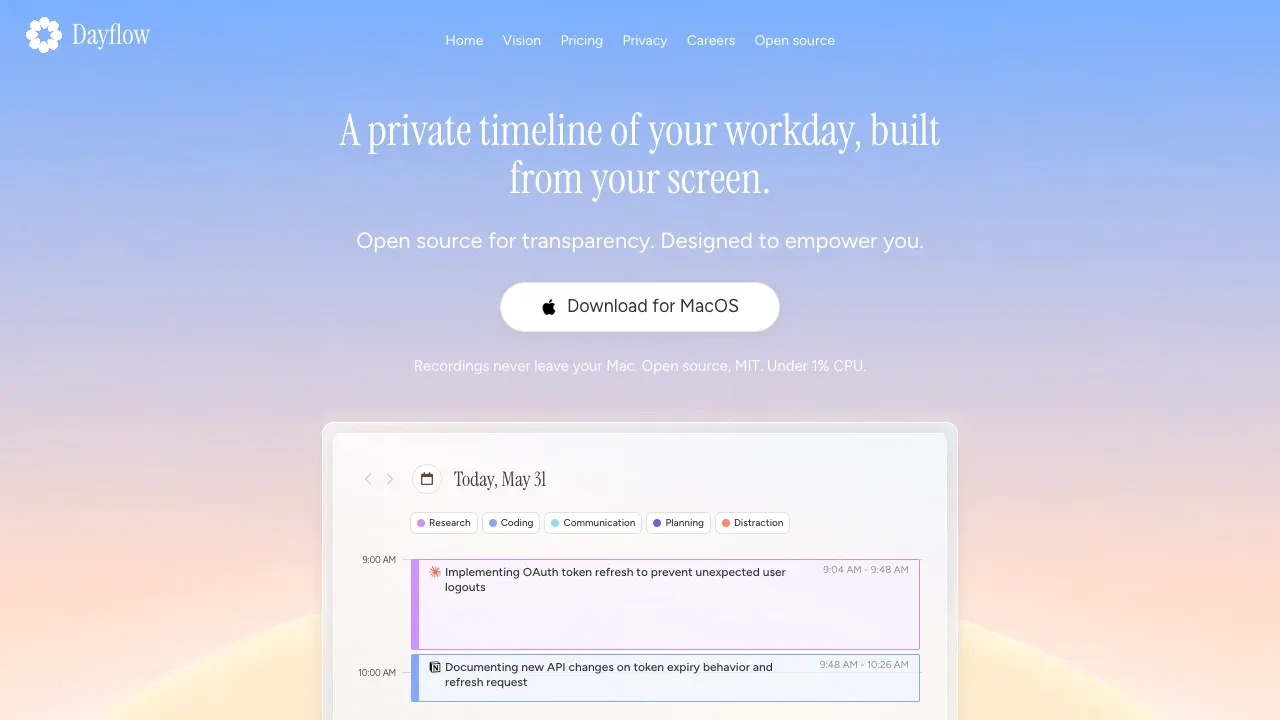
Dayflow is an automatic time tracker and work journal for developers, freelancers, and other people who work on a Mac. It uses screen activity to reconstruct what you worked on without manual timers or tags.
- Activity timeline: Review chronological activity cards that describe the work behind an open app, including focused sessions and distractions.
- Daily and weekly reviews: Turn recorded activity into standup updates with highlights, priorities, and blockers, or review weekly focus patterns and app usage.
- Journal chat: Ask questions about your recorded work and get answers grounded in your timeline.
- Markdown export: Export any date range for status updates, client notes, or a separate searchable record.
Dayflow is free and open source under the MIT license. It's a native Mac app requiring macOS 14 or later. Recordings, timeline data, and the database stay on your Mac; you can pause recording and delete stored data.
Local AI through Ollama or LM Studio can run fully offline and keeps analysis on your machine. Optional analysis through Gemini, ChatGPT, Claude, or Dayflow's hosted service can send selected screenshots to the chosen service. Local inference uses more GPU power and battery, and its summaries may be less detailed than cloud results.
 Logotyper


