
MCPJam
An MCP testing platform that runs locally or in a hosted browser app, with cross-client evaluations, OAuth debugging, and app previews.
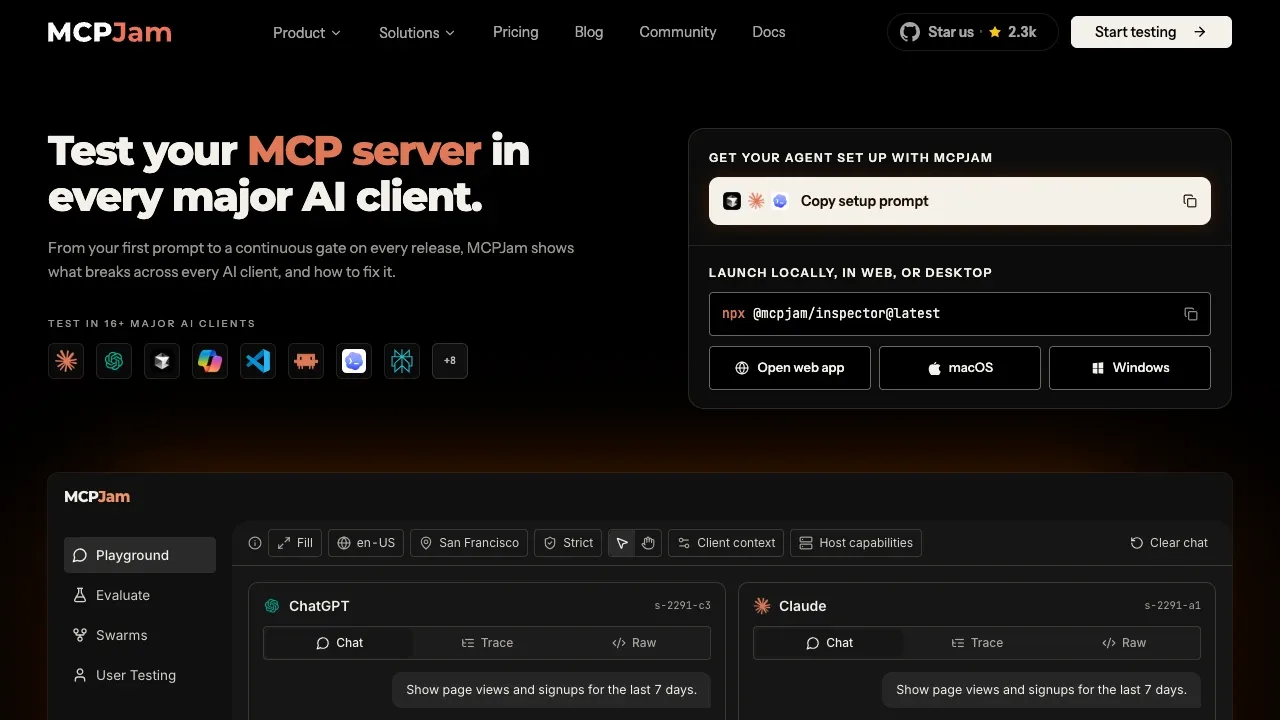
MCPJam helps MCP server developers check how their tools and apps behave across AI clients before deployment. It combines hands-on debugging with repeatable tests for differences between ChatGPT, Claude, Cursor, and Copilot.
- Server inspection: Run tools, prompts, resources, and elicitation flows manually, then examine tool calls, agent steps, and JSON-RPC messages in a trace timeline.
- Cross-client evaluations: Test expected tool calls across models and client configurations, and track accuracy, latency, and tool-call performance over time.
- App previews: Test OpenAI Apps SDK and MCP app interfaces in a widget emulator with desktop, tablet, and mobile views, including touch input, locale changes, and light or dark mode.
- OAuth debugging: Inspect authorization exchanges and run guided conformance checks to find authentication errors.
- Automated checks: Use the CLI and SDK for custom tests, or run evaluations, end-to-end tests, and protocol checks in GitHub Actions, GitLab CI, and other pipelines.
The repository uses Apache 2.0 for most code, with separate license terms for specified service and evaluation components. It runs as a macOS or Windows desktop app, through a local terminal process, or in Docker built from source. Desktop and terminal versions connect to HTTP/S and local STDIO servers. The terminal version requires Node.js; the desktop app doesn't.
The hosted browser app connects only to HTTPS servers. Local STDIO connections, tunneling, skills, and tasks require the local inspector. Local skills stay on your machine. Shared workspaces let teams test against the same server configuration.
 Logotyper


