
CC Switch
An AI coding tool manager for macOS, Windows and Linux that switches providers, routes API requests locally and shares MCP servers and skills. Free under MIT.
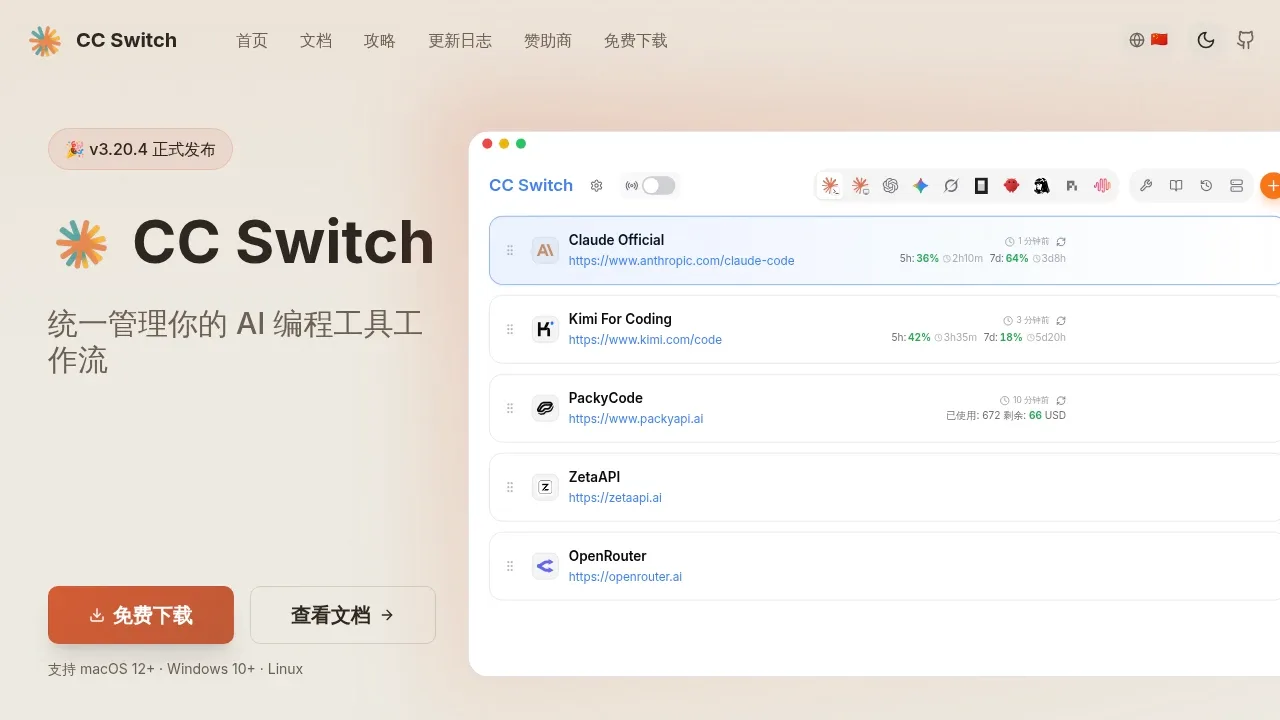
CC Switch is a desktop app for developers who use several AI coding assistants or switch between API providers. It brings their separate configurations into one interface and can route requests locally, so Claude Code can use GPT and Codex can use Claude. It's free and open source under the MIT license, with support for macOS, Windows and Linux.
It manages Claude Code, Claude Desktop, Codex, Gemini CLI, Grok Build, OpenCode, OpenClaw, Hermes Agent, Pi and MiniMax Code. Provider presets include AWS Bedrock and NVIDIA NIM, and custom configurations are supported. Switching connection details preserves existing plugins, hooks and other settings. Support for routing and shared resources varies by tool.
The local router translates between Anthropic, OpenAI and Gemini API formats. If a provider fails, it can move requests to a configured backup. Routing runs on your machine, while requests go to the selected API provider. Configuration and API keys stay in a local SQLite database by default; optional WebDAV or S3 sync uploads them to storage you choose.
CC Switch also manages MCP servers and skills across supported tools, with a separate prompt library for each tool. You can browse and search conversation history, while usage reports show token consumption, cache hits and spending by app and provider, even without local routing. Saved projects let Claude Code and Codex users switch provider settings, MCP servers, skills and prompt files together.


