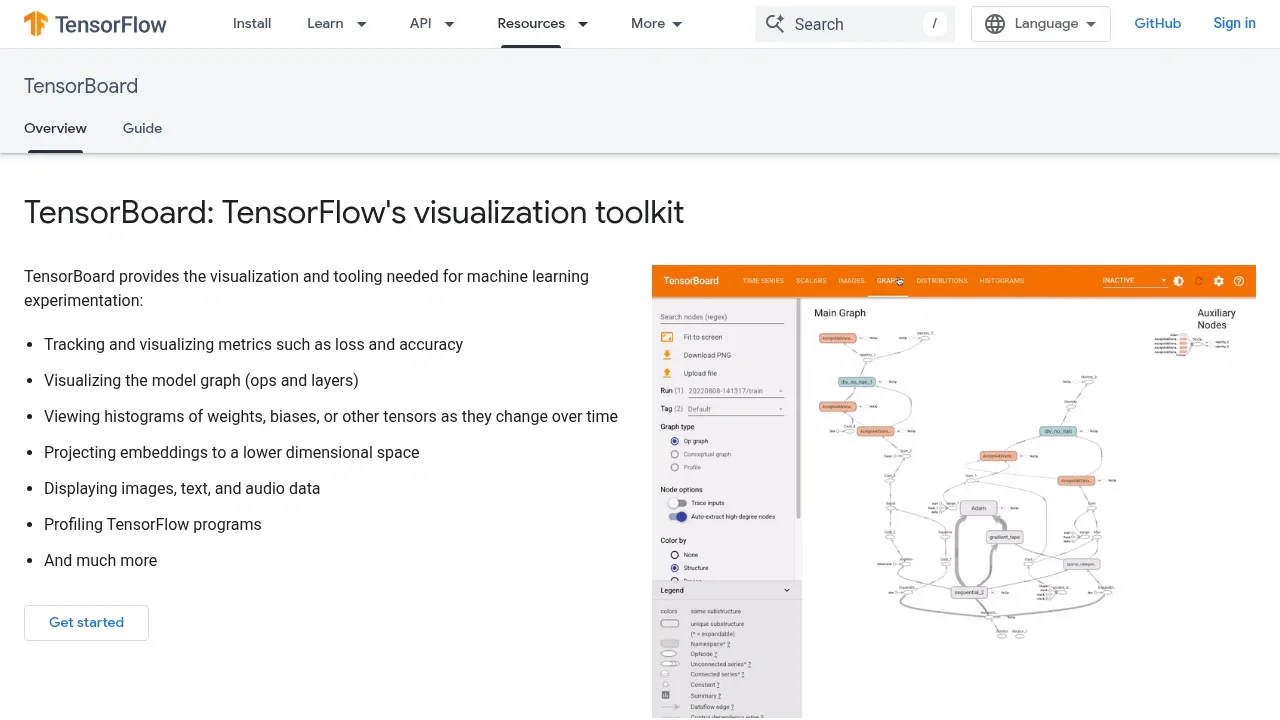
TensorBoard is a browser-based toolkit for inspecting TensorFlow experiments on your own machine or server. It's for researchers and ML developers who need to understand training behavior, compare runs, and investigate model performance. It works entirely offline, including behind a corporate firewall or in a datacenter, so experiment data can stay within your own environment.
Its charts track loss, accuracy, learning rate, and other recorded metrics over time. You can compare separate runs to see how a change in hyperparameters affects convergence, rather than assessing each experiment in isolation. TensorBoard organizes recorded data by named tags, which helps keep related measurements together.
Model inspection goes beyond metrics. Graph views show operations and layers, while histograms reveal how weights, biases, and other tensors change during training. Embedding projections reduce dimensionality so you can examine their structure visually. TensorBoard also displays recorded images, text, and audio alongside the experiment's numerical results.
The toolkit includes profiling for TensorFlow programs when you need to investigate execution performance. Its dashboards read experiment records saved to disk and can combine event files into a single run history after a restart. TensorBoard is open source under the Apache 2.0 license.
Claim this page with an email at tensorflow.org. TensorBoard gets the verified badge, and you can upgrade the listing to be featured on localhosted. Proud to be listed? Put our badge on your site.
Want more people to find TensorBoard?Promote it
Something wrong or outdated on this page?
33.5KUpdated 2 days agoMIT
macOS · Windows · Linux · Web#GGUF#ONNX
Netron displays neural network and machine learning models as visual graphs. Developers and researchers can inspect a model's structure through desktop apps for macOS, Windows and Linux, or through the browser viewer at netron.app.
6.3KUpdated 9 months agoApache-2.0
Docker · Web
Aim is a free, open source ML experiment tracker for researchers and teams who want to keep training records on their own infrastructure. It runs in your training environment or on a self-hosted server, with Docker and Kubernetes deployment support. Its Apache 2.0 license permits use and modification.
11.7KUpdated 23 hours ago
Docker · Web#LLM tracing#MCP#Ollama integration
6.9KUpdated 2 days agoApache-2.0
Docker · Web#Code execution#Git integration#Multi-user access
15.9KUpdated 2 months agoApache-2.0
macOS · Windows · Linux · VS Code#Git integration
DVC connects data and model versions to the code in your Git repository, so you can reproduce a machine learning experiment with the inputs it used. It's a free, open-source tool under Apache 2.0 for individual data scientists and small projects. It runs on macOS, Windows and Linux.
1.8KUpdated 19 hours agoMIT
macOS · Linux#Ollama integration
gollama is a terminal app for people managing a local LLM collection in Ollama on macOS or Linux. It puts model details and management actions in one keyboard-driven view, useful when you need to compare downloaded models or clear out ones you no longer use. It's open source under the MIT license.
Arize Phoenix is a self-hosted platform for developers who need to understand why an AI agent failed and test changes before shipping them. It runs on a laptop, in Docker, or on Kubernetes. Self-hosting keeps traces on your infrastructure; Phoenix Cloud provides a hosted alternative. Phoenix uses the Elastic License 2.0 (ELv2), a source-available license.
ClearML is an MLOps suite for recording experiments, managing datasets and running ML workloads. Its Apache 2.0 Python SDK connects to a ClearML Server, available as a hosted service or open-source software you deploy yourself. ClearML Agent handles job orchestration and reproducibility.