
Parakeety
Mac dictation software runs offline on Apple Silicon, inserts text into any app, and keeps audio on your machine. Requires macOS 14 or later.
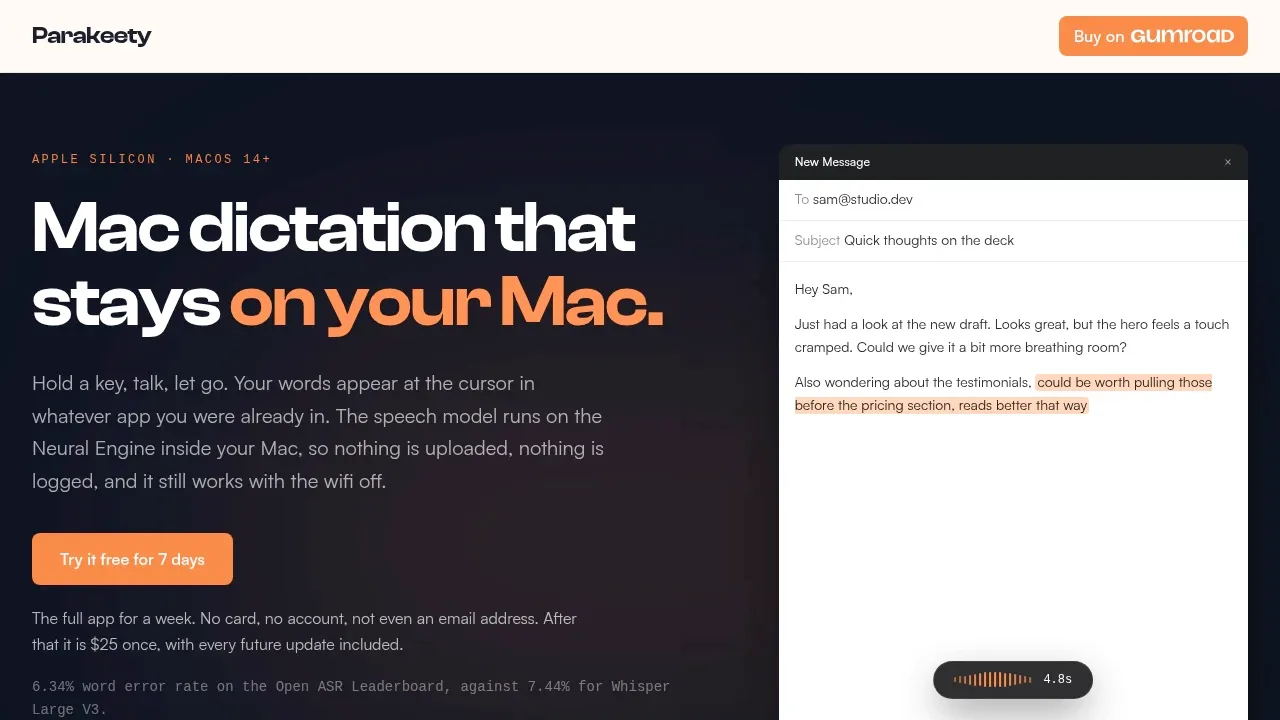
Parakeety is a paid Mac dictation app for people who want to speak into the app they're already using without sending their voice to a cloud service. It runs on Apple Silicon Macs with macOS 14 or later and places the transcript at the cursor. Intel Macs aren't supported.
Speech recognition uses Nvidia's Parakeet TDT 0.6B v3 through Apple's Core ML toolchain and runs on the Apple Neural Engine. Speech recognition works offline after the initial model download, without a cloud transcription fallback. The privacy policy separately documents periodic licence-server checks and diagnostic event logs; it says audio and transcripts are not uploaded and analytics are absent. Audio stays in memory during recording and is discarded after transcription; the app saves neither audio files nor a transcript history.
For everyday writing, Parakeety has push-to-talk dictation and a hands-free mode for longer passages. Its shortcut uses the key below Esc. A Dev mode lets a quick tap type that key's normal character while a hold starts dictation, which matters if you write code or Markdown. The model detects the spoken language automatically and supports European languages including English, French, German, Spanish, Russian and Ukrainian.
The interface stays in the menu bar, with no Dock icon or main window during normal use. A small recording panel shows a live waveform and elapsed time, then disappears when recording ends. Transcripts paste into the current app, so you can dictate emails, notes or drafts without moving your writing into a separate editor.
 Logotyper


