
Phorminx
A Windows dictation and meeting transcription app runs speech recognition, live translation and a conversation assistant locally on your PC.
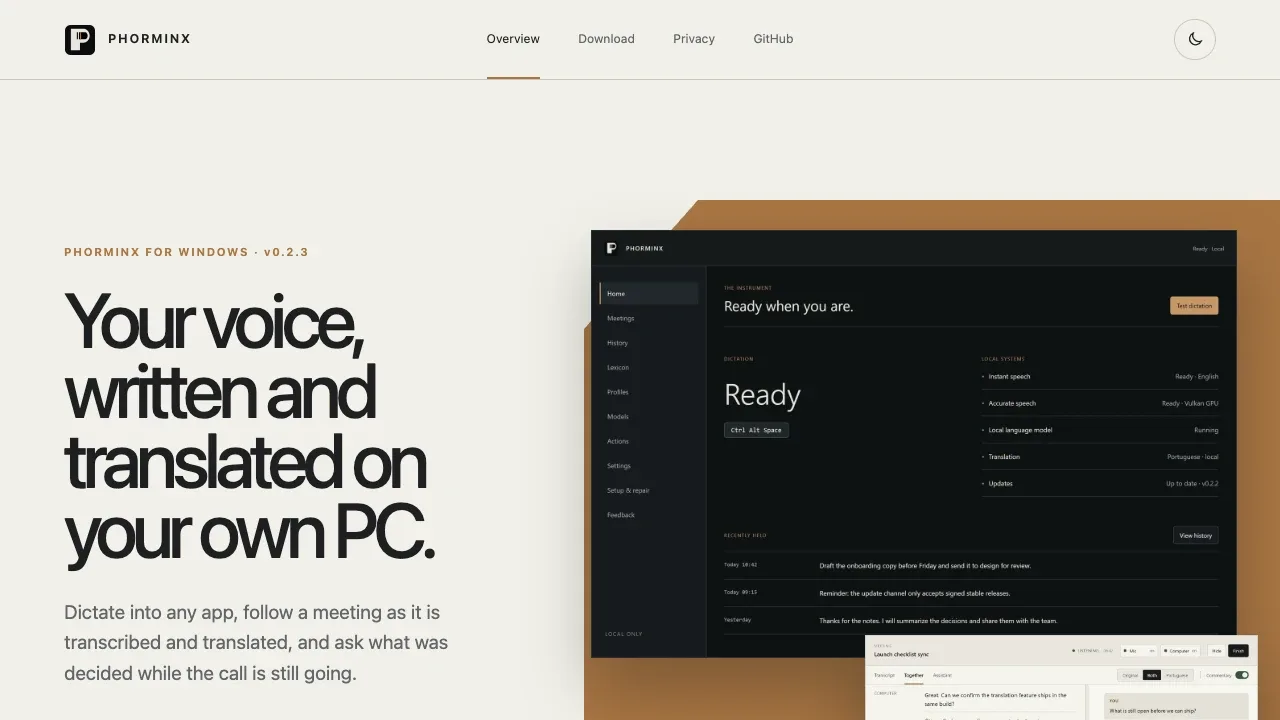
Phorminx turns speech into text in Windows apps and keeps a searchable record of meetings. It's for people who want dictation, translated transcripts and answers about a call without sending the conversation to a cloud AI service.
- Dictation in any app: Speak into email, documents, chat or code, with a custom vocabulary for names and jargon and formatting profiles for individual apps.
- Live meeting translation: Capture your microphone and computer audio together, with timestamps and translated lines alongside the original transcript.
- Meeting assistant: Ask questions about the conversation so far or enable automatic commentary from a local model, with a compact companion beside your call.
- Review and search: Edit or reformat dictation with local AI, replace previously inserted text, and find saved dictations and meetings through word search or optional local semantic search.
Phorminx is free, open source under the MIT license, and runs on Windows 10 and 11 x64. It supports Whisper and Vosk for speech recognition and local Ollama models for formatting, translation and assistant features. Translation needs a separately selected local Ollama model; the original transcript remains available if translation can't keep up.
Audio stays in memory during transcription, while retained text and settings stay on your PC. Model downloads need an internet connection. Optional remote assistants and HTTP actions send the text or context you configure to their destinations. Dictation history has retention controls, but deleting it doesn't delete separately saved meeting sessions.
 Logotyper


