
MacWhisper
Local AI transcription app for macOS that works offline, records meetings without bots, and connects to optional cloud services.
Alternative to:



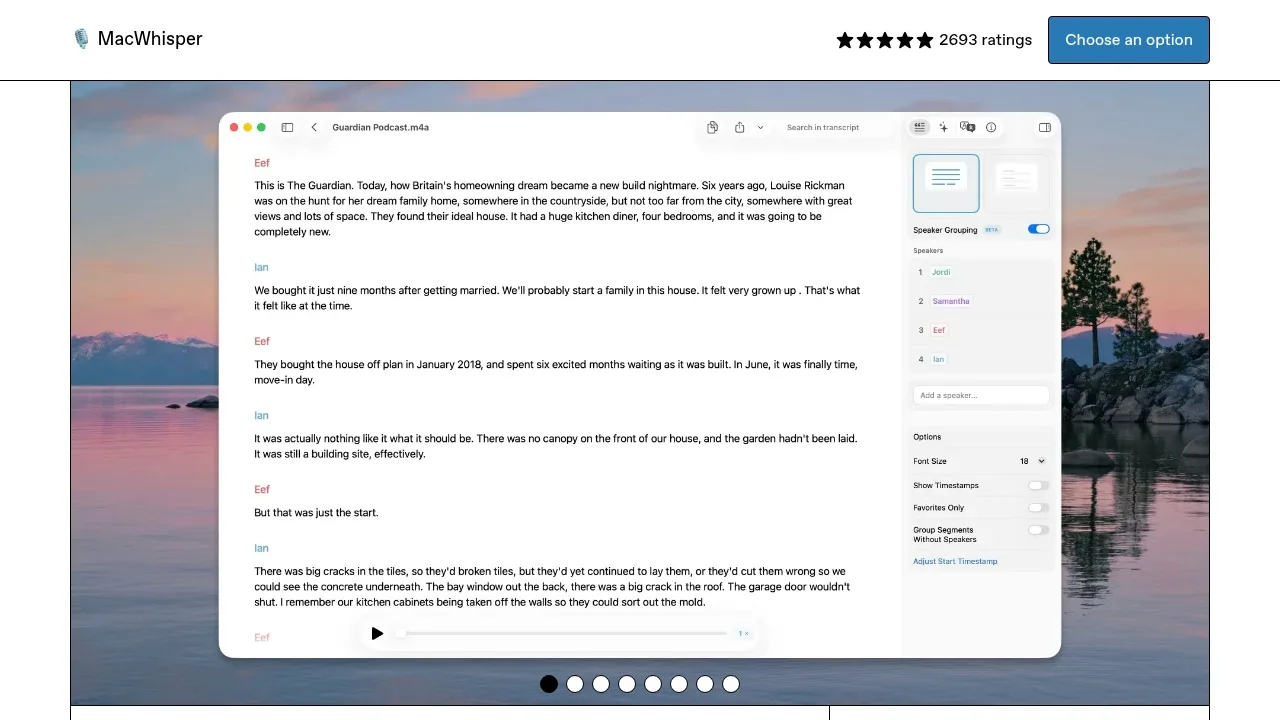
MacWhisper turns recordings into editable transcripts for people working with interviews, lectures, podcasts and meetings. Local transcription works offline and keeps the audio on your Mac.
- Files and meetings: Transcribe audio and video files, YouTube videos or audio captured from Mac apps, and record calls in Zoom, Teams, Webex and Discord without a bot joining the meeting.
- Transcript editing: Identify speakers, search and correct text, remove filler words, and translate transcripts into other languages.
- Dictation: Use your voice to enter text across Mac apps, with spelling and grammar correction and prompts tailored to individual apps.
- Subtitles and documents: Export SRT or VTT subtitles, review captions alongside video, and save transcripts as Markdown, PDF or DOCX documents.
- AI and automation: Summarize recordings, ask questions about transcripts and apply custom prompts using local models through Ollama or LM Studio, or connected cloud providers; watched folders and integrations with Notion, Obsidian and n8n support recurring transcription work.
The macOS app has free and paid options. AI connections support OpenAI-compatible endpoints and providers such as OpenAI, Anthropic and Google Gemini using your own API keys. Cloud processing sends the relevant content off your device. The optional Assistant service includes cloud transcription that sends audio to its servers, plus summaries and transcript chat.
An iPhone and iPad app also supports on-device transcription, with optional cloud transcription and AI prompts through your own API keys or the Assistant service.
 Logotyper


