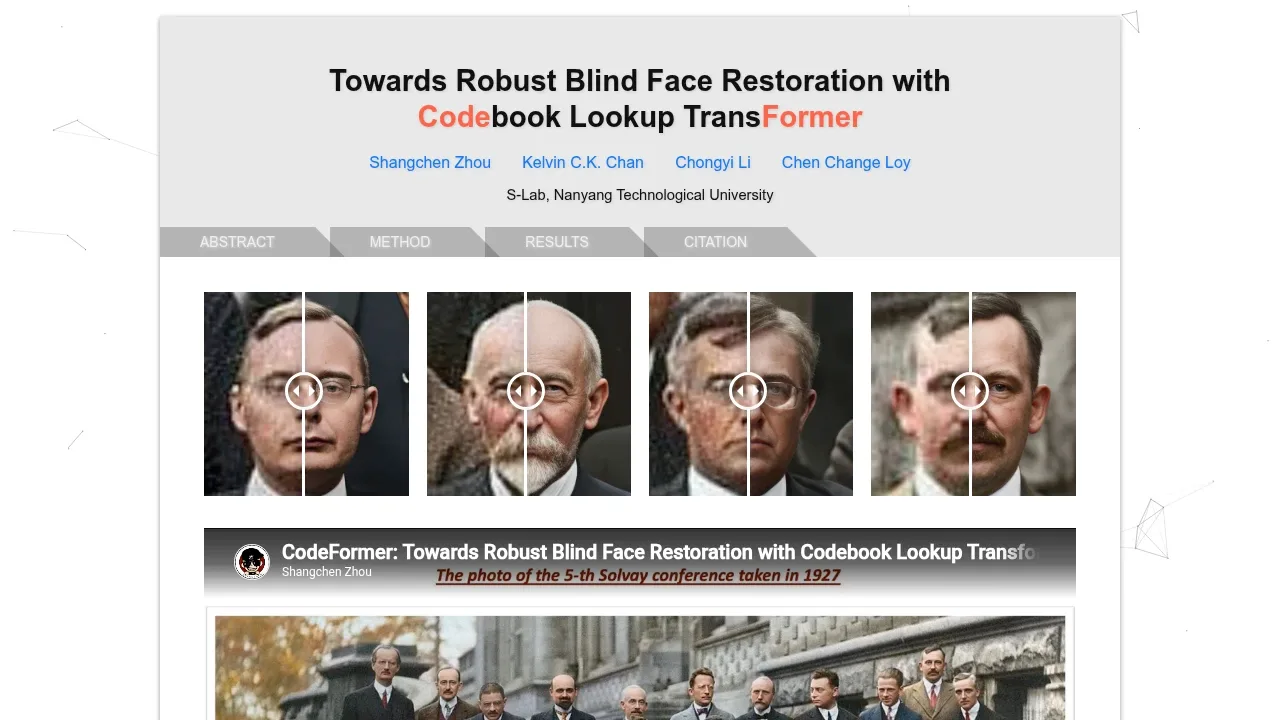
CodeFormer restores degraded faces in photos and videos using a learned library of facial details and a Transformer model. It's for people restoring images on their own hardware, developers adding face enhancement to a project, and researchers working on image restoration. Its main distinction is an adjustable balance between visual quality and fidelity to the input face.
That balance matters when the original contains too little detail for an exact reconstruction. You can favor a cleaner-looking result or preserve more of the input's appearance. The model predicts facial details from a learned codebook, so a restored face can include generated detail rather than only recovered information.
Alongside face restoration, CodeFormer supports inpainting and colorization for cropped, aligned face images. It can process whole photos as well as prepared face crops, and it accepts video input for face enhancement. Whole-image processing blends restored faces back into the background; this can affect hair texture around the face boundary.
The Python implementation runs locally with PyTorch and CUDA, and pretrained models are available to download. Local processing handles images on your own machine. Browser demos on Hugging Face, Replicate and OpenXLab provide hosted alternatives. The project also publishes training code and configuration files for researchers who want to train the restoration model.
Claim this page with an email at shangchenzhou.com. CodeFormer gets the verified badge, and you can upgrade the listing to be featured on localhosted. Proud to be listed? Put our badge on your site.
Want more people to find CodeFormer?Promote it
Something wrong or outdated on this page?
30.1KUpdated 1 day ago
macOS · Windows#Image-to-image
FaceFusion is an AI face manipulation tool for photos and videos that processes media on your own machine. It's aimed at content creators, VFX artists, and film studios that want control over their footage and personal data. Local processing keeps that media on your hardware rather than sending it to a cloud service.
53.2KUpdated 1 year agoGPL-3.0
macOS · Windows · Linux · Docker · Web#ControlNet#Image-to-image#Inpainting
7.3KUpdated 1 week agoApache-2.0
macOS · Windows · Linux · Docker · Web#ControlNet#Image-to-image#Inpainting
606Updated 4 days agoApache-2.0
Windows#ControlNet#GGUF#Inpainting
37.7KUpdated 2 years ago
Linux#Batch processing#Image-to-image
GFPGAN is an open-source AI face restoration tool for people repairing poor-quality photos and developers adding restoration to image workflows. It runs locally with Python and PyTorch, with Linux support and optional NVIDIA GPU acceleration through CUDA. Its face models use knowledge learned by a pretrained generative model such as StyleGAN2 to reconstruct facial detail.
6KUpdated 2 months agoGPL-3.0
macOS · Windows · Linux#Batch processing#ONNX#Visual workflows
Fooocus is a free, open-source AI image generator for people who want to create images on their own computer without spending much time tuning settings. It uses Stable Diffusion XL and automatically expands prompts with a local GPT-2 engine. Generation works offline once the required models are downloaded, so prompts and images can stay on your machine.
SD.Next is a self-hosted web interface for artists, researchers and people who want to generate and edit images or videos on their own hardware. It builds on Automatic1111 WebUI's original codebase and supports Stable Diffusion alongside other diffusion models. It's open source under Apache 2.0.
Amuse combines AI generation with media editing in a Windows app that runs models on your own hardware. It's for people who want to create images, video, audio and text locally, then work on the results in the same application. Its editor also accepts existing local video.
chaiNNer is a desktop image processing editor for people who want AI upscaling and repeatable editing workflows without writing scripts. It runs models locally on Windows, macOS, and Linux. Connected nodes let you combine model processing with ordinary image edits in the same workflow.