
Pixelmator Pro
AI image editor for Mac and iPad with nondestructive layers, RAW editing, vector tools and Apple Pencil support. Paid, with some features requiring internet.



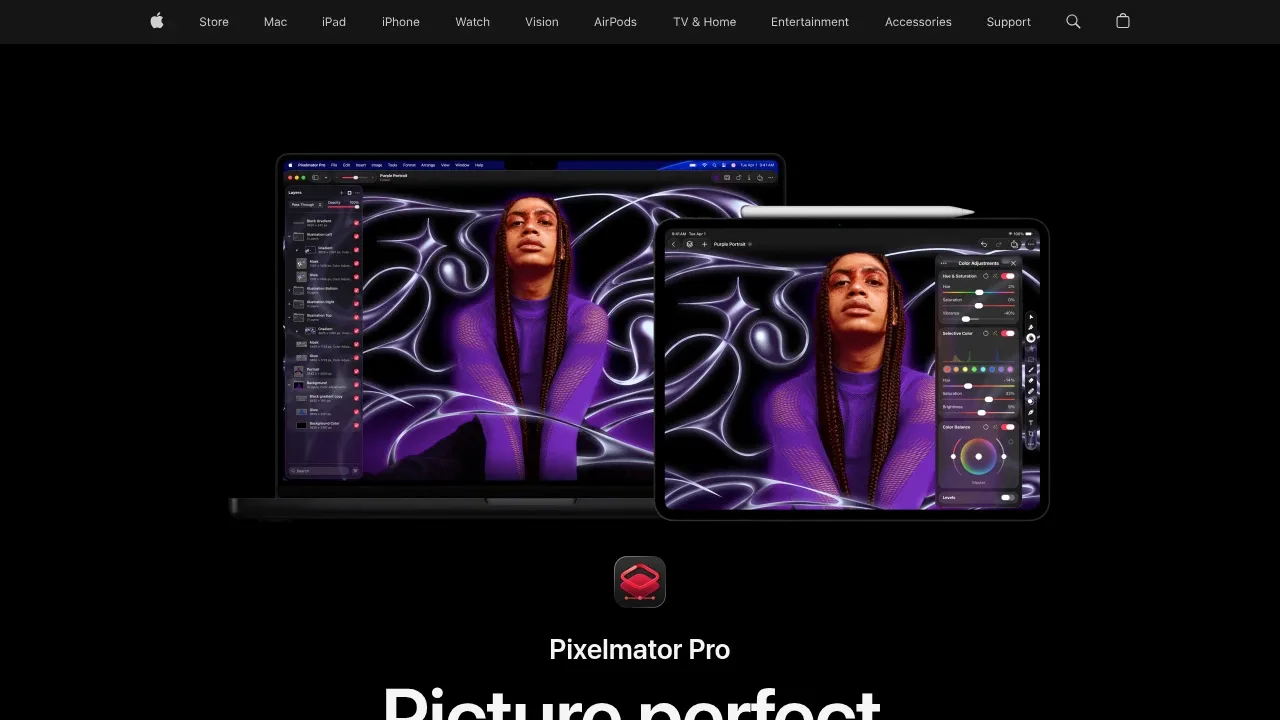
Pixelmator Pro is a paid image editor for Mac and iPad that combines AI photo editing with layered graphic design and vector drawing. It's for photographers and designers who want to retouch images and build compositions in the same app. Its built-in image-processing tools use Apple hardware and machine learning, while feature availability and network requirements vary.
AI tools handle background removal, subject selection and masks that preserve fine edges such as hair or fur. Super Resolution enlarges images and refines detail, while Denoise reduces camera noise and Deband smooths gradients and compression artifacts. Automatic enhancement, cropping and straightening provide a starting point for further edits.
Nondestructive layers let you revise effects, color adjustments and masks without altering the original image. RAW photos work directly as layers, and video layers support masking, cropping and color edits. For design work, the app includes templates and mockups, editable shapes, pen drawing and text that follows a path. It supports PSD, SVG, PDF, Adobe Illustrator and Illustrator EPS files, with vector data preserved on export.
The iPad app supports touch controls and pressure-sensitive Apple Pencil editing. Projects can move between Mac and iPad, and a Photos extension brings editing tools into Apple's photo library app. Pixelmator Pro is proprietary software. Some features need internet access; the built-in image editing tools should not be treated as a guarantee that every AI capability runs offline. Supported iPads include models with M1 or later, iPad (A16) and iPad mini (A17 Pro).


