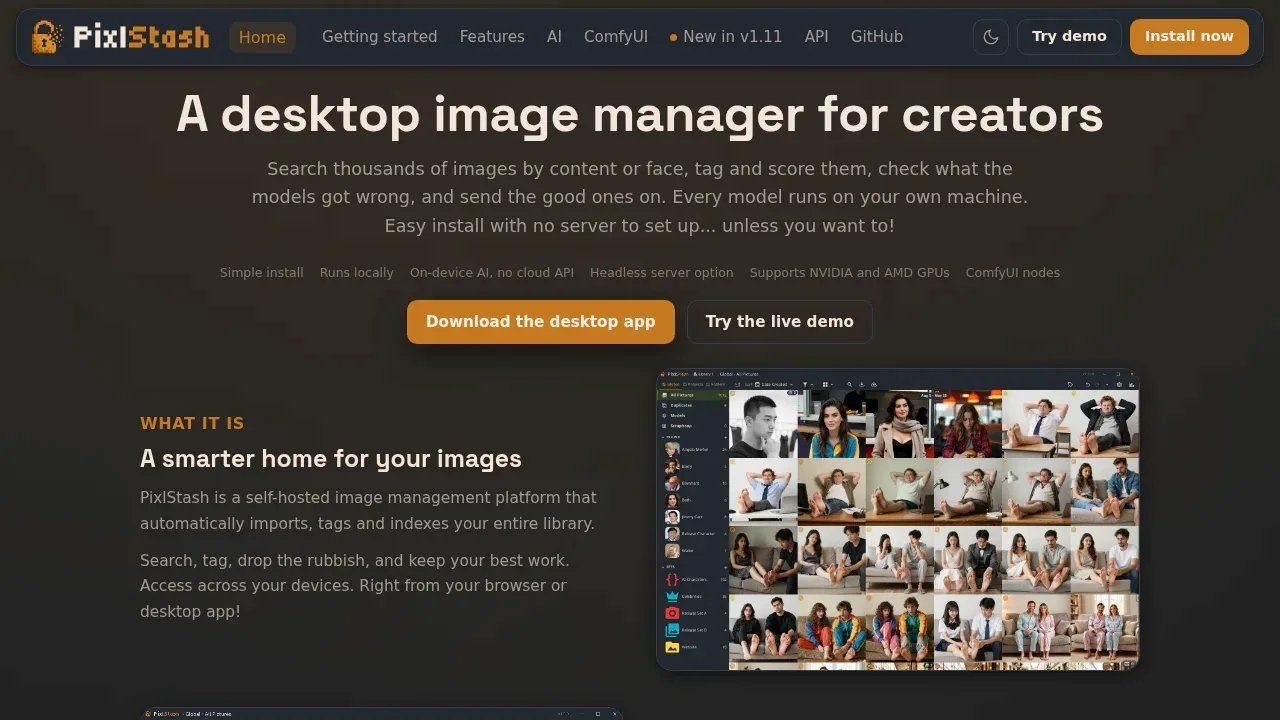
PixlStash is an open-source image manager for photographers, AI creators and people curating image datasets. It combines library search with tools for reviewing tags, ranking images and sending selected work through ComfyUI. You can use a desktop app or a self-hosted server with a browser interface.
Models run on your hardware, and library data stays in local storage. It uses no cloud API or external account. An internet connection is needed for the initial model downloads; subsequent starts use cached models. AI processing can use a CPU or NVIDIA GPU, with experimental support for AMD GPUs.
CLIP semantic search finds images by their content even when they aren't tagged. Face recognition groups people or characters, while reverse face and likeness searches find related images. Duplicate detection helps identify repeated files.
For tagging and captions, you can choose PixlStash Tagger, WD14, Florence-2 or JoyCaption. A review queue surfaces uncertain labels, and a tag health board helps assess automatic tagging. Quality, character-likeness and malformed-anatomy scores help with photo culling and generated-image review. Object segmentation is also available.
The ComfyUI connection works in both directions: PixlStash can run workflows on selected images, and ComfyUI nodes can search, load and save library images. Generated images return with tags and project, person and picture-set associations. A REST API supports other integrations.
Existing image folders can become libraries without moving, renaming or copying files. PixlStash supports separate libraries and folder exports. The software uses GPL-3.0; for face recognition, buffalo_l weights restrict use to non-commercial research, while AuraFace weights use Apache 2.0.
Claim this page with an email at pixlstash.dev. PixlStash gets the verified badge, and you can upgrade the listing to be featured on localhosted. Proud to be listed? Put our badge on your site.
Want more people to find PixlStash?Promote it
Something wrong or outdated on this page?
8.1KUpdated 1 day agoMIT
Windows · Linux · iOS · Android · Docker · Web#Multi-user access#ONNX#Semantic search
LibrePhotos is a self-hosted photo manager for people who want to organize a photo library on their own server, with AI tools for finding images and grouping faces. It scans files already on your storage and supports RAW photos as well as videos. The project is open source under the MIT license.
808Updated 7 years agoGPL-2.0
macOS · Windows · Linux#Batch processing
29.2KUpdated 1 day agoAGPL-3.0
macOS · Windows · Linux · iOS · Android · Web#Multi-user access#Role-based access#Semantic search
1.2KUpdated 3 months agoMIT
macOS · Windows · Linux · Docker · Web#Semantic search
HomeGallery is a self-hosted web gallery for people who want to browse their personal photos and videos while keeping their existing files and folders. It brings multiple media directories into one gallery, with a mobile-friendly browser interface and PWA support. It's open source under MIT.
picapport.deAI Photo Libraries
macOS · Windows · Linux · Docker · Web#Batch processing#Multi-user access#Role-based access
1.4KUpdated 12 months agoGPL-3.0
macOS · Windows · Linux#Batch processing#Multimodal input
digiKam is a local photo manager and image editor for photographers who need to organize large collections of photos, RAW files and videos. It runs on Linux, Windows and macOS and is open-source software under GPL-2.0. Its archived GitHub mirror points contributors to the maintained KDE repository.
Ente Photos is a Google Photos alternative for people who want encrypted photo backups and AI search without giving a storage provider access to their library. You can use its hosted service or self-host the server. Face detection, grouping and natural-language search run on your device; the hosted service stores your encrypted backups.
PicApport is a self-hosted photo server for families and businesses that want a searchable media archive on their own hardware. Its AI tagging add-on recognizes image content without sending photos to a cloud service and saves the resulting tags in image metadata. The server runs on Windows, Linux or macOS, with a Docker image available, and you access the gallery through a browser.
TagGUI is a desktop app for people preparing image datasets for generative AI training. It combines local AI captioning with manual tag editing, so you can generate descriptions and correct them in the same workspace. It's open source under GPL-3.0 and runs on Windows, Linux and macOS, though macOS doesn't have a packaged release.