
Pretype
An AI writing assistant provides autocomplete across macOS apps, with local models, previewed rewrites and reply drafts that work offline.
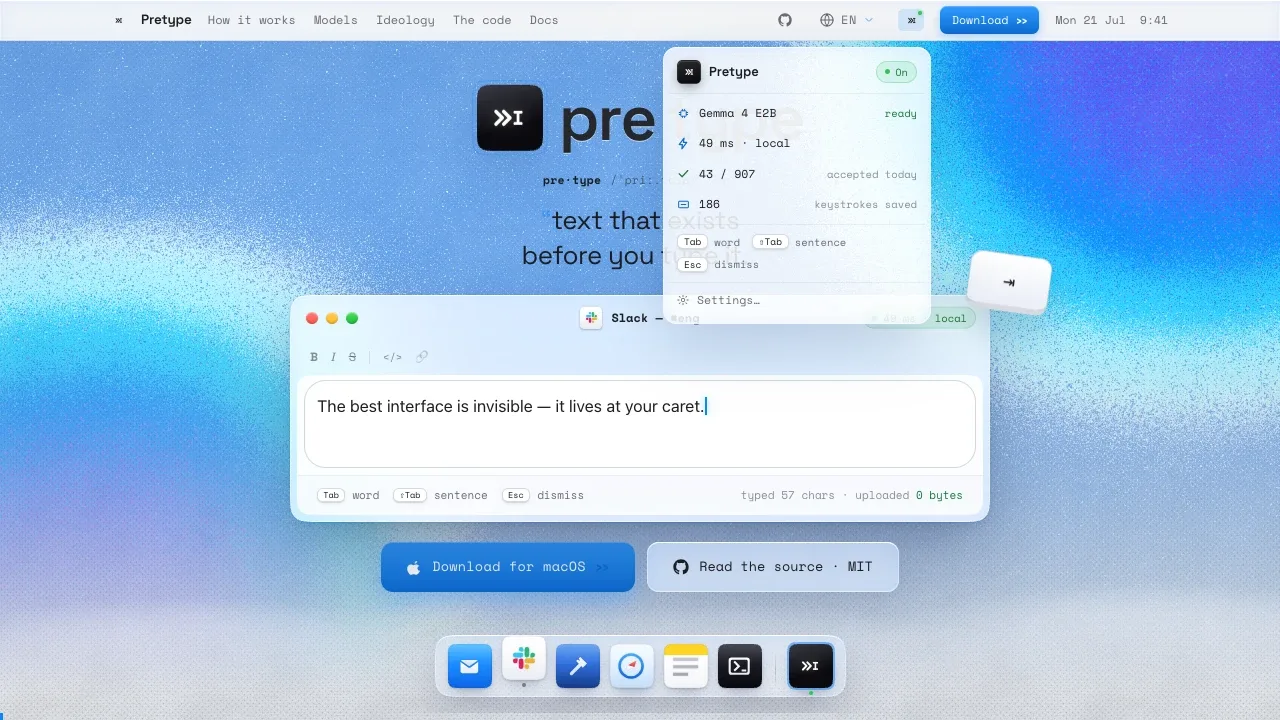
Pretype is a local AI writing assistant for people who want sentence suggestions across their Mac apps. It works in native apps, Electron apps and web text fields without separate plugins for each app.
- Inline autocomplete: Suggestions appear at the caret, and you can accept a word or a full sentence while writing in apps such as Mail, Slack, Notes and Safari.
- Corrections and rewrites: It suggests spelling fixes, expands emoji shortcodes and previews grammar or phrasing changes before you accept them.
- Conversation replies: An opt-in feature reads the conversation on your screen using on-device OCR and drafts a response when requested.
- Personal writing style: It learns recurring words and phrases locally, with controls to clear or disable that learning and set different styles for individual apps.
- Model choice: You can compare local models such as Gemma, Qwen and MiniCPM by accuracy, speed and memory use; the default depends on your Mac's memory.
Pretype is free and open source under the MIT license. It requires macOS 26 or later and Apple Silicon, with 8 GB of memory sufficient. It works offline after the initial model download and doesn't require an account. By default, processing stays on your Mac; model downloads and an optional update check use the network. If you enable an API provider, requests go to the endpoint you configure. Hosted text or speech models process the material needed for that feature, while Ollama and LM Studio can provide local endpoints.
The app requires Accessibility permission to read and write in the focused text field. It stays inactive in terminals, password managers and during secure input. You can disable it per app, and it pauses suggestions in apps where you repeatedly ignore them.
 Logotyper


