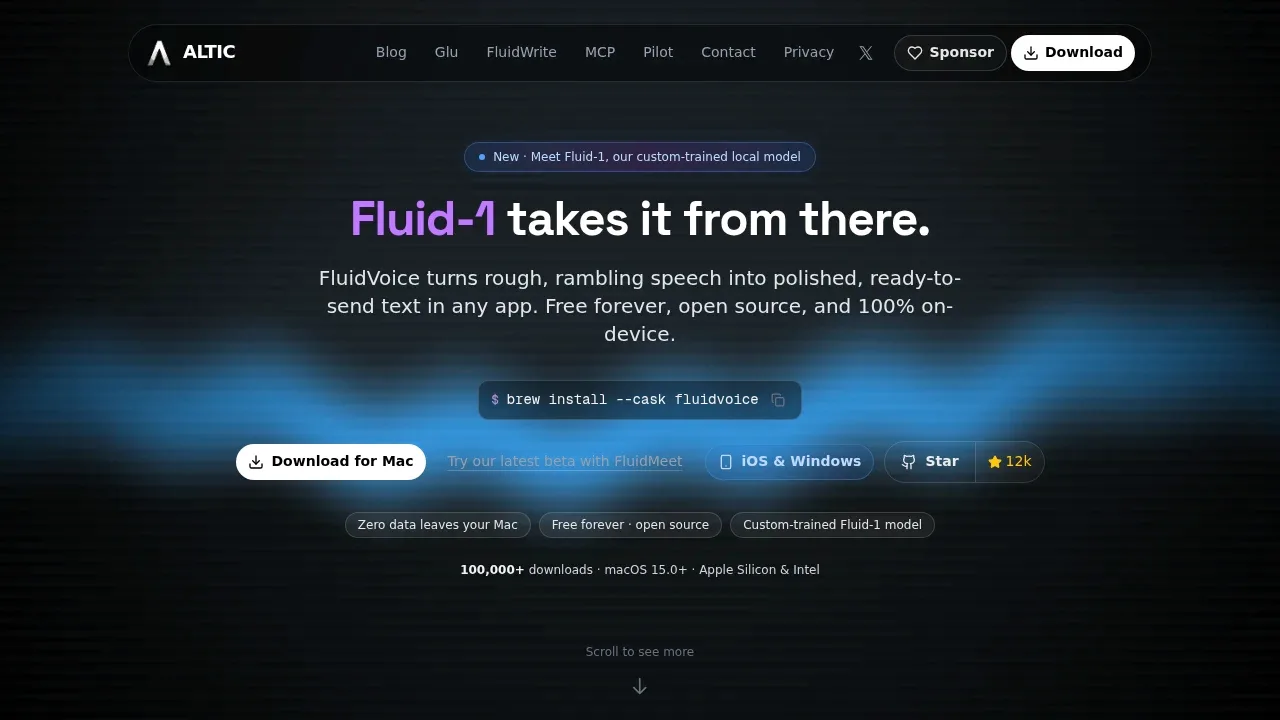
FluidVoice is a free, open source voice-to-text app for Mac users who want to dictate into email, documents, chat, terminals, and code editors. It transcribes speech locally and can turn rambling dictation into edited text before inserting it into the active app. It requires macOS 15 or later and supports Apple Silicon and Intel Macs, with Whisper providing Intel compatibility.
The optional Fluid Intelligence runtime runs Fluid-1, a custom-trained local model that removes filler, corrects capitalization, and adjusts formatting. Per-app prompts let dictation take a casual tone in Slack or a more formal one in Mail, and the app selects the matching profile when focus changes. FluidVoice itself uses the GPL-3.0 license; Fluid Intelligence is a separate, privately maintained runtime.
Speech models include Nemotron Speech, Parakeet TDT, Cohere Transcribe, Apple Speech, and Whisper. Language support depends on the model. CoreML and Metal accelerate transcription on Apple Silicon, and a live preview shows text as you speak. Write Mode supports dictating new content or rewriting selected text in place. Command Mode can launch apps, run shortcuts, and trigger system actions by voice.
Dictation and local enhancement work offline. Voice recordings and text stay on your Mac unless you choose a cloud AI provider such as OpenAI, Groq, or a custom service for post-processing. The local enhancement runtime doesn't require API keys. Optional recording history stores past dictations locally and supports ZIP export; anonymous analytics exclude audio, transcripts, and prompts.
Claim this page with an email at altic.dev. FluidVoice gets the verified badge, and you can upgrade the listing to be featured on localhosted. Proud to be listed? Put our badge on your site.
Want more people to find FluidVoice?Promote it
Something wrong or outdated on this page?
superwhisper.comDictation and Voice Typing
macOS · Windows · iOS · Android#Multilingual#Works offline
Superwhisper is an AI dictation app for macOS, Windows, iOS and Android that turns speech into text in the app you're using. It's for people who prefer speaking to typing, including developers dictating requests to coding assistants. Speech recognition can run locally and offline, or use cloud models for remote processing.
1.5KUpdated 6 days agoMIT
macOS · Windows · iOS · Android#Multilingual#Ollama integration#Works offline
262Updated 8 months agoMIT
macOS#MLX#Multilingual#Works offline
8.9KUpdated 24 hours agoMIT
macOS · Windows · Linux · iOS#Batch processing#MCP#Multilingual
1.8KUpdated 8 hours agoGPL-3.0
macOS#Batch processing#Hugging Face integration#MCP
boltai.comChat With Your Documents
macOS#Code execution#Human approval#LM Studio integration
Amical is a free, open-source AI dictation app that formats spoken text for the app you're using. It's for people who want voice input for email, chat, coding prompts and everyday writing, with a choice between local processing and cloud models. It runs on macOS and Windows, with mobile apps for iOS and Android.
AudioWhisper is an open source macOS menu bar app for people who want to dictate into other apps or turn recorded audio into text. It combines offline transcription with optional cloud services, so you can choose where your audio gets processed. The project uses the MIT license.
OpenWhispr is a free, MIT-licensed dictation and meeting transcription app for people who want voice input across their apps with control over where processing happens. It's available on macOS, Windows, Linux and iOS. Local transcription works offline and keeps audio on your device; optional cloud transcription sends audio to the selected provider, whose retention policies apply.
TypeWhisper is a macOS dictation and transcription app for people who want to keep voice recordings on their own machine and use the resulting text across apps. Local engines keep audio on your Mac; optional cloud providers such as Groq, OpenAI and xAI/Grok process audio remotely.
BoltAI is a native Mac app for people who want local LLMs and cloud AI services in the same workspace. It runs on Intel and Apple Silicon Macs and suits coding, writing, research and document analysis. The interface uses SwiftUI and AppKit.