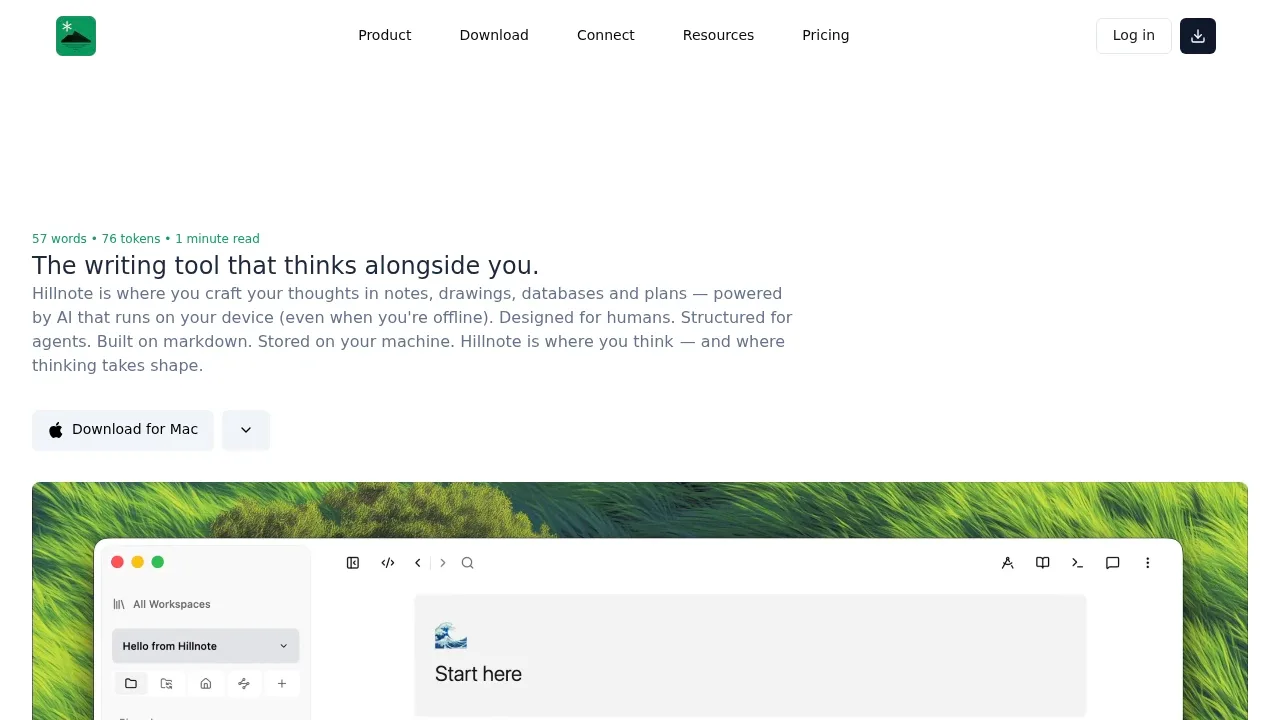
Hillnote is a writing and planning workspace for people who want their notes on their own disk, with AI available inside the editor. It runs on Mac, Windows, iOS and Android. The editor, workspace and local AI work offline, and getting started doesn't require an account.
Documents, databases, kanban boards, canvases and slides share a plain Markdown source. You can link documents and keep rough notes in scratch spaces alongside more structured work. Because the files remain readable in other editors, you can use them outside Hillnote without exporting them or depending on a proprietary database.
Local AI runs through Ollama and Apple Intelligence for inline editing, rephrasing, lookups and brainstorming. Those tasks stay on your device when you use local models. Cloud AI includes Claude and GPT, and an automatic mode routes work between local and cloud models. Cloud requests leave your machine; sync and publishing also use online services.
The same files are accessible to Claude Code, Cowork and Codex. A built-in local MCP server lets compatible AI agents read and edit the workspace, while a cloud MCP endpoint gives remote agents access to synced workspaces.
The core editor and local AI are free, with paid cloud services available. Sync is optional and controlled per workspace: enabling it shares the workspace across devices, while disabling it keeps each device's copy local.
Claim this page with an email at hillnote.com. Hillnote gets the verified badge, and you can upgrade the listing to be featured on localhosted. Proud to be listed? Put our badge on your site.
Want more people to find Hillnote?Promote it
Something wrong or outdated on this page?
77KUpdated 3 months agoAGPL-3.0
macOS · Windows · Linux · iOS · Android · Web#MCP#Multi-user access#RAG
AppFlowy is a self-hosted Notion alternative for teams that want project management, shared documents, and AI in an environment they control. Its self-hosted enterprise offering can run on premises, in your own cloud, or in an air-gapped environment. Self-hosted LLMs and embedding models let you keep AI processing and workspace data inside your infrastructure, with no vendor access to your instance.
278Updated 1 day agoAGPL-3.0
macOS · Windows · Linux · Android · Web#Works offline
Writeopia is a writing and note-taking app for people who want AI assistance while keeping their documents on their own computer. It runs on Windows, Linux and macOS, with offline access to locally stored notes and a choice of AI models that run on your device. It's aimed at writers, developers and researchers working on drafts, documentation or personal notes.
46.6KUpdated 2 days agoAGPL-3.0
Windows · Linux · iOS · Android · Docker · Web
SiYuan is a local-first, self-hosted knowledge workspace for people who want linked notes, research material and AI writing tools in one place. Its block references let you connect individual passages rather than whole documents, with bidirectional links to follow those connections. It's open source under AGPL-3.0.
perfectmemory.aiAI Notes and Knowledge Bases
macOS · Windows#LM Studio integration#MCP#Ollama integration
29.4KUpdated 4 days agoAGPL-3.0
iOS · Android · Docker · Web · Browser Extension#MCP#Multi-user access#Ollama integration
2.4KUpdated 3 days agoAGPL-3.0
macOS · Windows · Web#Code execution#MCP#Multimodal input
Perfect Memory AI keeps a searchable record of what you've seen on your screen and heard in meetings on Mac and Windows. It's for people who need to find a page, presentation or conversation again without remembering which app held it. Recordings stay on your device, and search returns material you've actually seen or heard.
Karakeep is a bookmark manager for people who collect links, notes, images and PDFs in one place. You can run the open source app on your own server with Docker under the AGPL-3.0 license, or use the managed Karakeep Cloud service. It has a web app, iOS and Android apps, and extensions for Chrome, Firefox and Safari.
PenEcho is an open-source workspace that puts handwritten notes, diagrams and AI-generated widgets on an infinite canvas. It runs on your computer as a macOS or Windows app, or through Node.js with a browser interface. It's for people who want to work through technical ideas visually and give AI feedback by drawing directly on the result.